
• Latest Issues
  • Reviews
  • Tutorials
    • Microphones
    • On The Bench
    • Thinking Outside the Box
    • View From The Bench
  • Features
    • Acoustics
    • Broadcast
    • DIY
    • Field Recording
    • Game Sound
    • Interview
    • Live Sound
    • Mastering
    • Mix Masters
    • Music Business
    • Name Behind the Name
    • Post Production
    • Recording
    • Studio Focus
    • Technical
  • Regulars
    • Fresh Produce
    • Top 5
    • Top 5 Live
    • Top 5 Template Tools
  • Videos
  • Free Stuff
  • By Gear
    • Audio Accesories
    • Audio Mixers
    • Headphones + IEM
    • Interfaces
    • Location Sound
    • Microphones
    • MIDI Controllers
    • Mobile/iOS
    • PA Systems
    • Software + Plug-ins
    • Studio Monitoring
    • Studio Outboard
    • Synthesizers + Keyboards
  • By Interest
    • Acoustics
    • Broadcast
    • DIY
    • Field Recording
    • Game Sound
    • Live Sound
    • Mastering
    • Music Business
    • Name Behind the Name
    • Post Production
    • Recording
    • Technical
    • Thinking Outside the Box
  • By Brand
  • Subscribe
  • Contact Us
  • Advertise
Previous
Issues 110
0 SHARE
Read Next: A&H Avantis Firmware Update
  • Home
  • /
  • Regulars
  • /
  • Top 5 Template Tools
  • /
  • Top 5 Pro Tools Template: Neil Davidge

Top 5 Pro Tools Template: Neil Davidge

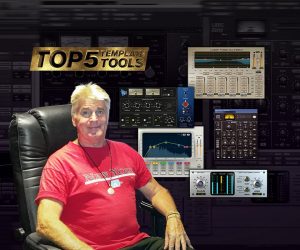
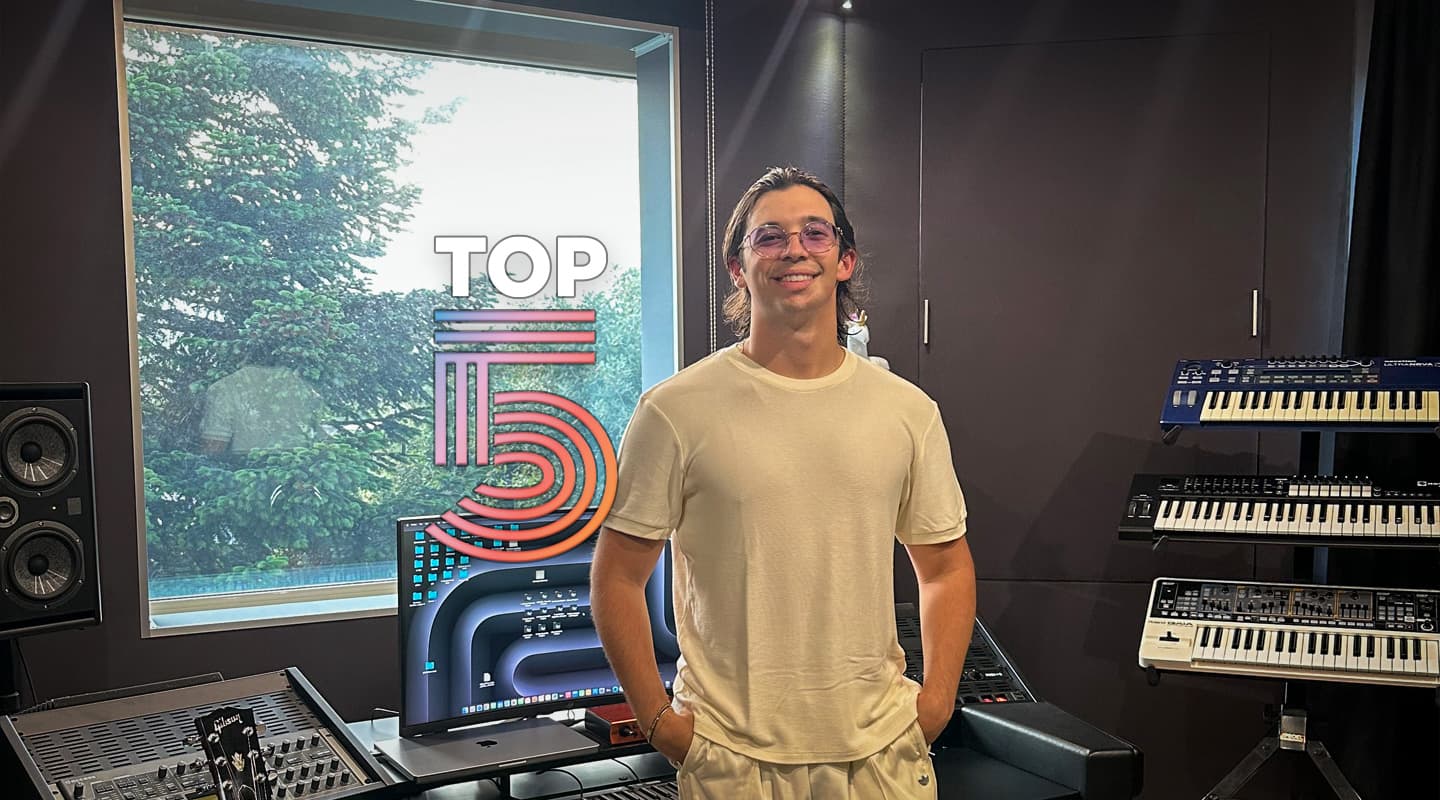
Neil Davidge (Massive Attack, David Bowie, Damon Albarn et al) talks us through his Top 5 most creative Pro Tools plug-ins.

By Joe Matera

7 April 2026

“My favourite plugins are generally ones that help me write and compose, inspire and surprise,” explains British producer, composer and musician Neil Davidge on his five essential plug-ins. “Finding ‘the sound’ is as foundational as the melody to a composition or song for me, either can be the catalyst and/or the icing on the cake and often the mistakes are the best bits.”

Davidge has worked with the likes of Massive Attack, David Bowie, and Damon Albarn among others. He has also composed music for TV and film with his most recent being the score for the forthcoming Apple TV+ drama series Criminal Record.

“I don’t use a template, instead, for every new project, I pull in tools that I feel are appropriate,” Davidge adds. “I have a few go-to plug-ins I use on a lot of projects but others I might favour for a while and then get replaced to keep things fresh. I’m not a fan of presets. I find it soul destroying cycling through them so I tend to quickly hit on something I like then keep using that as my starting point. I like plug-ins that do one thing and do it well, I can then chain things in a modular way, repositioning plug-ins like modules in a rack for different effects. I use automation a lot creatively to create energy, tension, emotional dynamics but also like to record as I mess around with a plugin and then cut that ‘performance’ around.”
WAVES SOUND SHIFTER

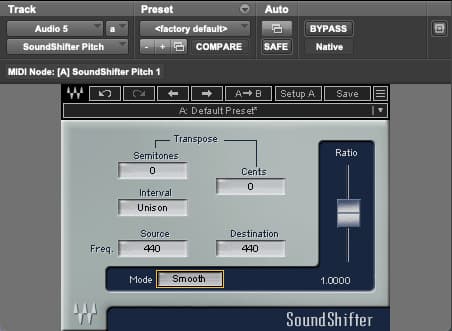
I use the Pro Tools pitch plug-in in AudioSuite a lot to varispeed up or down but for real-time pitching and pitching effects I prefer Sound Shifter. It has fewer artefacts; it’s smoother than most others I’ve tried – simple and uncluttered. That said, there is a hit on latency which can be a pain. I use it when I’m building my first impressionistic pass of a film or episode. I bring different sketches together with other sounds and MIDI instruments as a kind of master ‘vibe’ session, automating semitones on sketches to make them work together, or cents to create unease and tension. It’s great for quickly working out key transitions between cues and generally plotting the emotional narrative. On an individual cue or track I’ll take a part that’s feeling a little straight and extend the performance pitch dynamics in a subtle yet detailed way, creating tension, glissando effects, or re-harmonising. I’ll then often use Sound Shifter with a reverb or delay, making it feel more natural if I’m doing anything extreme or into distortion for really messing things up.

UAD PARADISE GUITAR STUDIO

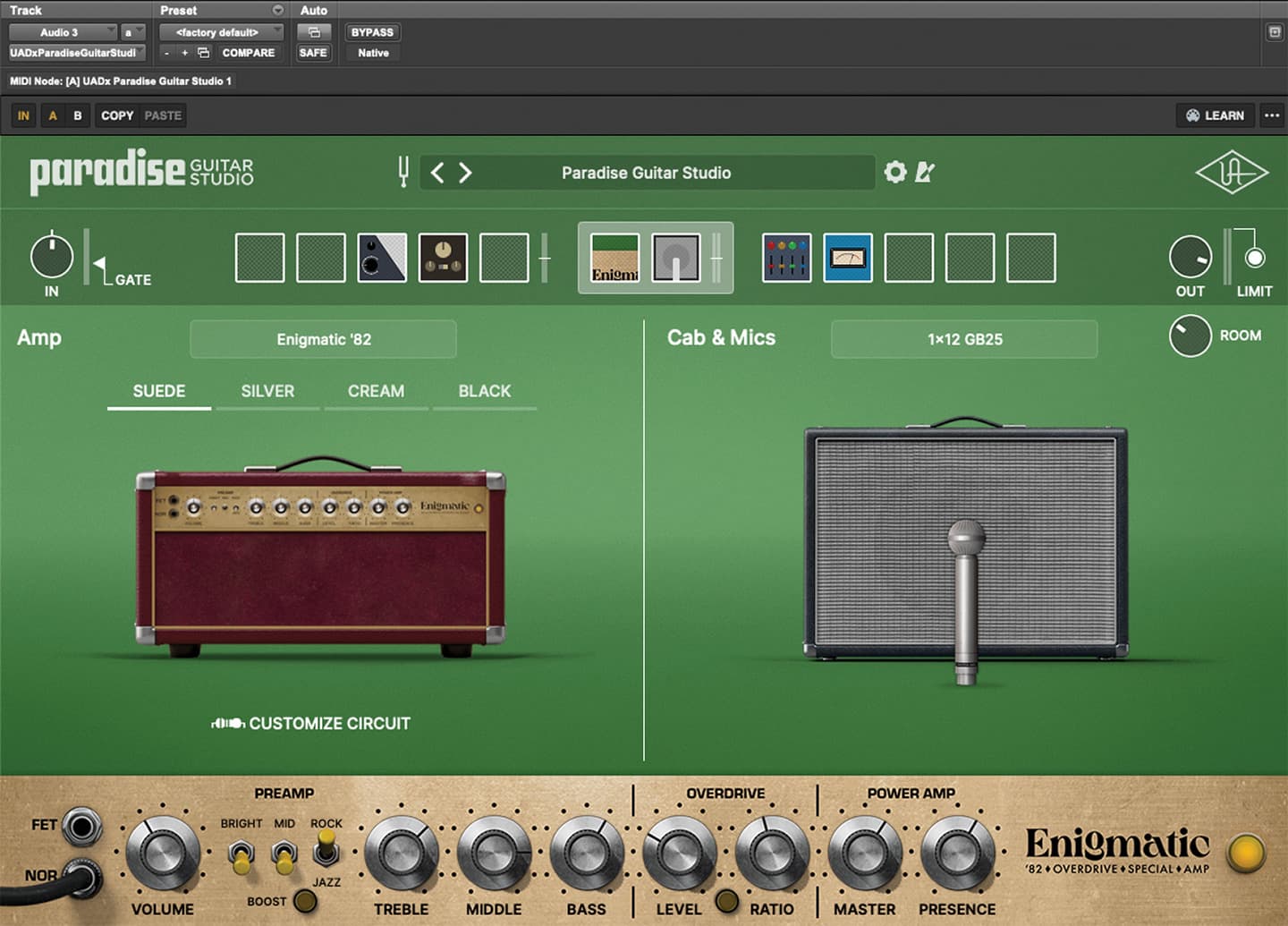
I’ve only recently latched onto this plug-in but it’s already become a go-to. I only use a couple of presets as a starting point and tweak/play until I’m happy. I love the amps, they just sound more ‘real’ than all the other amp sims I’ve tried, and the stomp pedals are great – 25 to choose from and all the classic flavours. Many of these seem to be cut down versions of other UAD plug-ins but still the same great sound, so it really is a bit of a bargain. I’ll try anything through it: obviously guitars and keyboards but also drums, acoustic or electronic, strings sound great through it, cello, woodwinds, vocals, piano. It’s a complete vibe machine and it’s really easy to navigate – the next best thing to sticking an amp in the room with a bunch of pedals but without all that cabling headache.

ABERRANT DSP LAIR

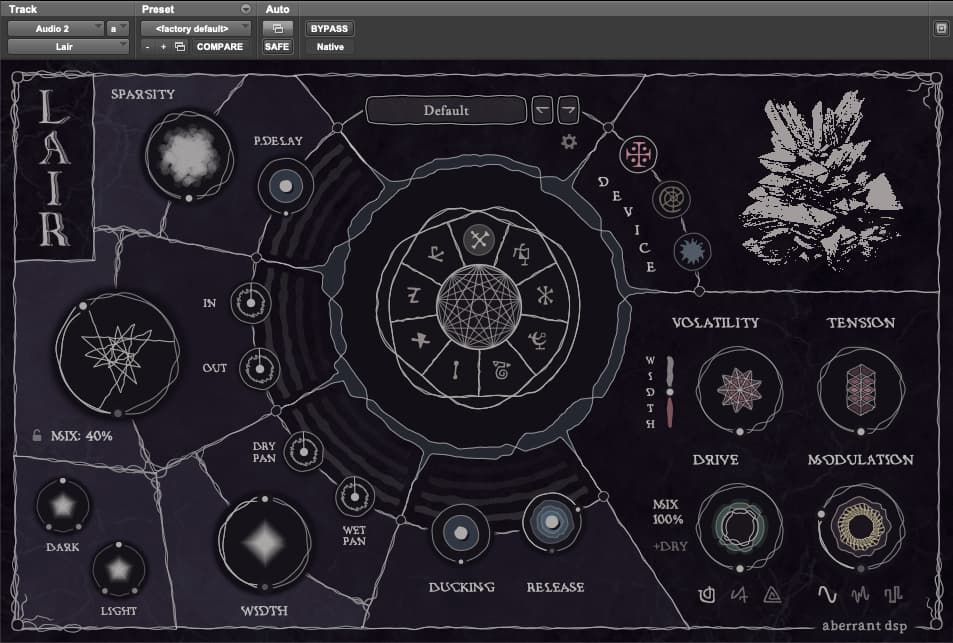
I really like these guys. I love the look of their plug-ins. They encourage you to play and to ‘screw things up’. I first came across ‘Sketch Cassette’, which I still love and bought their bundle but at first I overlooked ‘Lair’. I’ve so many reverb plug-ins I couldn’t imagine why I’d need another but then I realised Lair is much more than a reverb, it’s like it’s alive. At its core Lair has three reverberation modes: Artefact device, Mirror device and Rift device. Each has a unique personality and tweakable parameters. It can create new dimensions but also new dynamics, textures and personality. I love the ducker parameter. It reminds me of an old Sony multi-effects box I recall using on Massive Attack’s tracks – it’s brilliant for making something sound huge and dramatic without it getting in the way. If I’m looking for a reverb to place things in a space, this probably wouldn’t be the tool I’d first reach for, but to inspire and open up new creative horizons, it’s absolutely at the top of my list.

PRO TOOLS TRIM TOOL

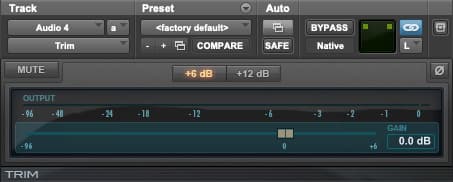
Simple but so useful. I saw an assistant of mine using this once to create a pulsing pattern with the signal generator and some white noise, automating rhythmically for a kind of hi-hat pattern. I would have done this kind of thing myself using the standard volume automation, but what I realised is that the Trim Tool is really good at shaping the volume dynamics before going into another plug-in, say, a distortion, while retaining the main volume lane for actual mixing. I can position the trim at any point in my signal chain, before or after compression, reverb, delays etc and use it to create movement as well as shape dynamics and performance. It’s far more flexible than an envelope shaper and it’s free with Pro Tools. This is the only plug-in that I use on everything.

GRM TOOLS COMB FILTER

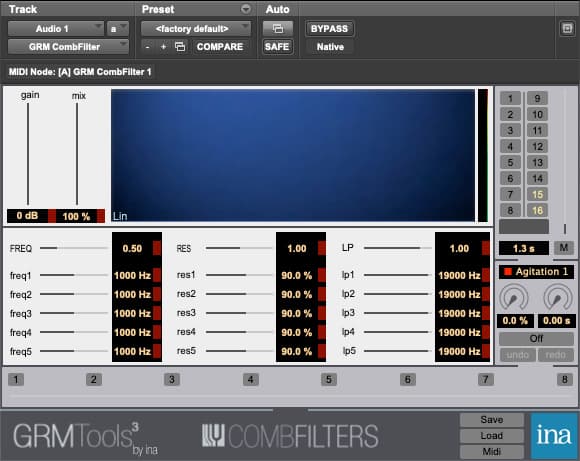
I’ve been using this plugin since the early 2000s, most notably on the Massive Attack song ‘Everywhen’ from the album 100th Window. On that track I had it across the drums to give them a chordal vibe – a bit like a vocoder but less tacky/cheap sounding. I’ve used it on vocals before a reverb to create weight and resonance; I’ve used it for transition sounds on an orchestra when getting it to ‘slide’ between different presets; I’ve also used it across an acoustic guitar part, isolating it to one band and created chordal bass drones. Like all GRM’s plug-ins, it requires you and encourages you to think outside the box. It’s good to have a limiter at the end of the chain because it can kick off when you hit the fundamental and I could imagine blowing a speaker easily if you like working loud!

RESPONSES

Leave a Reply Cancel reply

Your email address will not be published. Required fields are marked *

More for you

Filter by
Post Page
News Fender Firmware Update Feature Interview Software + Plug-ins DAW Avid Reviews Headphones Sennheiser Issue 110 Regulars Issue 109 Top 5 Template Tools Sonarworks Virtual Instruments Arturia Meyer Sound Issue 108 Icon Pro Audio Control Surfaces
Sort by

Meyer Keeps A Low Profile

25

Tone Master Pro Update

19

Producing Robyn’s Sexistential

19

New Approach to Dynamics

19

Major Pro Tools Update

19

Review: Sennheiser HD480 Pro

19

Top 5 Pro Tools Template: Guy Gray

19

Review: Sonarworks SoundID Reference Virtual Monitoring Pro

19

Arturia FX Collection 6 Pro

19

Meyer Promotes Hearing Health

19

Review: Icon Pro Audio V1-M

19

ROTO-CONTROL Adds Logic Pro

19

preview
preview

Free! Get AudioTechnology magazine sent straight to your inbox every month

This field is for validation purposes and should be left unchanged.

preview
  • Latest Issues
  • Reviews
  • Tutorials
  • Features
  • Regulars
  • Videos
  • Free Stuff
  • By Gear
  • By Interest
  • By Brand
© 2026 AudioTechnology magazine.