

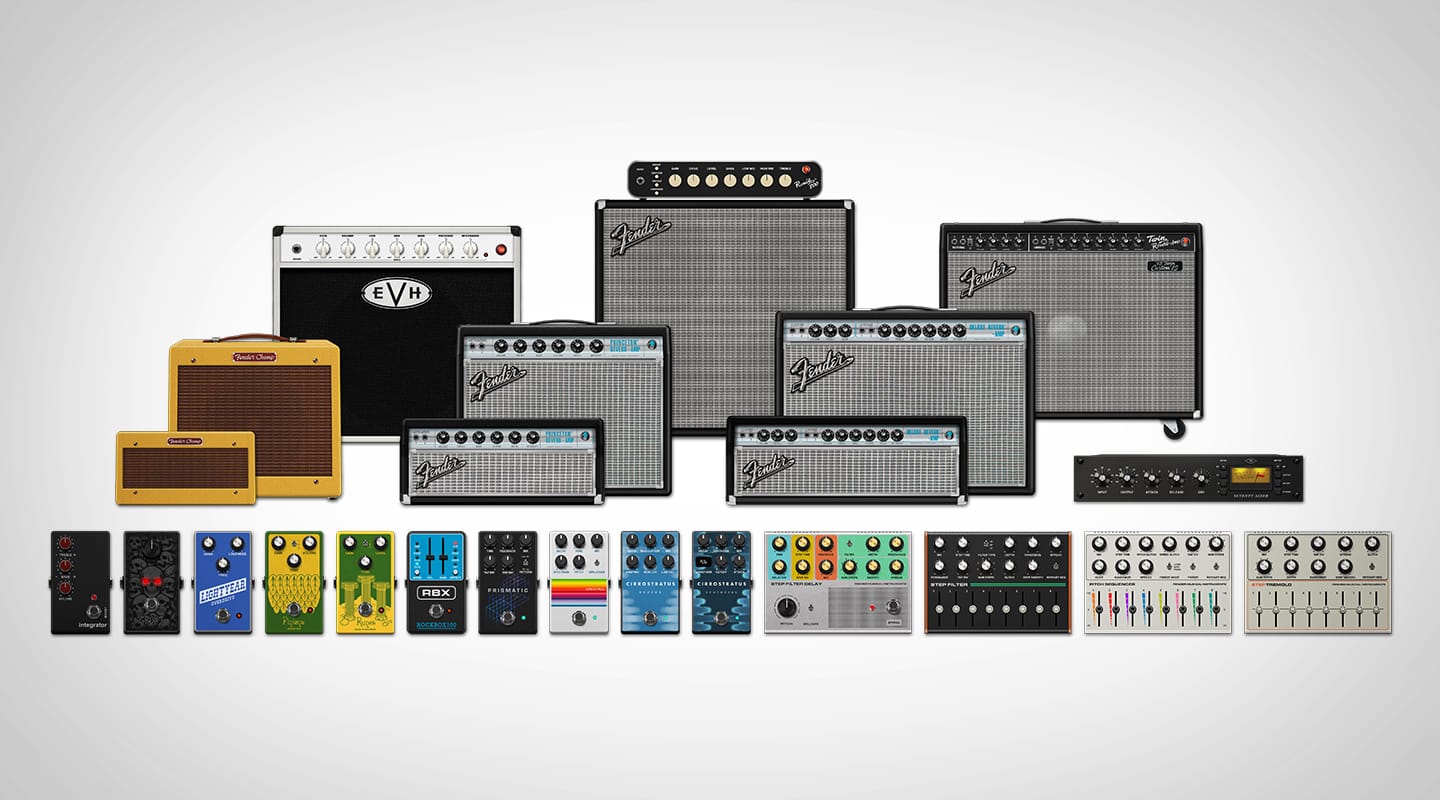

Fender has launched a new firmware update for its best-selling multi-effects guitar processor, the Tone Master Pro.
The new update introduces 8 new amplifier models, 8 additional cabinet models, and 15 new effect models. Key highlights include the EVH 5150 50w combo and the ’65 Twin Custom 15 amp, as well as a selection of new delay, reverb, filter, overdrive and compressor effects.
Alongside these new additions, the update also introduces a multitude of user-friendly enhancements, from a second page of footswitch button assignments that ups the total to 16 available footswitches per Preset, to a new search function and favourites filter in the Add/Replace menus, and a selection of new footswitch assignment types. The looper has been improved and you can now switch between needle mode tuning or strobe tuning.
New Features
- New Strobe Tuner option
- To access enable Tuner and touch the drop-down menu top-right
- Double-tap or double-click signal path block to toggle Bypass state on TMP screen and in apps.
- Added a Second Page of footswitch button assignments, for a total of 16 available footswitches per Preset
- Note there is a maximum of 8 Scenes allowed
- New Search function in the Add/Replace menus
- New Favorites filter in the Add/Replace menus
- New Global Setting to enable seamless Tap Tempo for Delays
- Global Settings/Preferences/Seamless Tap Tempo Delay
- New Footswitch Assignment types:
- EZ Looper – single footswitch toggles between Record/Play/Overdub with a double-tap to Stop
- Play/Stop – single footswitch to toggle between looper Play and Stop modes
- Record/Overdub – single footswitch to toggle between looper Record and Overdub modes
- Individual assignment options for Reverse, ½ Speed and Undo
- Note that these Looper footswitch assignments control the Global Looper, this is not a new Looper effect.
- Footswitch Assignment shortcut
- Press & Hold blank Assignment footswitch in FX Mode brings up “Select Assignment Type” menu for faster footswitch assignments
- Song Mode footswitch shortcut
- Press & Hold blank Songs Mode footswitch brings up “Add Preset to Song” menu for faster footswitch assignments
- NOTE – this feature also works when a Song is selected in Setlist Mode
- Redesigned interface for IR edit screen with option for user adjustable Speaker Impedance Curve (SIC)
- New option to assign footswitch LED colors for Presets in Preset and Song Modes
- New color selection screen for all footswitch LED color assignment menus
- Active/Inactive selections now on one screen with new color palette
- Keyboard up/down arrow buttons can now navigate through model add/replace menus on desktop Pro Control app
Firmware Update Procedure:
See Firmware Update Instruction Guide for additional information. Head over to the consumer resource page to learn more











RESPONSES