






Review: Universal Audio Volt 876
Professional, expandable audio interface offering dynamics and preamp DSP on input and control room functionality.

By Brad Watts
16 February 2026
Many years ago I went completely native audio with an Apogee interface. That’s still in use today, almost 20 years after its release. Yes; it’s a Firewire device, but still functions happily on Intel Monterey and Apple Silicone Ventura – 16 inputs and the digital I/O meet my needs. However, and somewhat obviously, the writing is indelibly strewn across the wall for my particular interface. It’s old, so it’s time to seriously consider a replacement. I need 16 I/O. More would be better. I need digital outputs – coax or optical S/PDIF is fine. I need wordclock sync. I need 48V phantom power. The Volt 876 is ticking multiple boxes for me. When it landed on my desk for review, it had my attention, you might say.
OUT & ABOUT
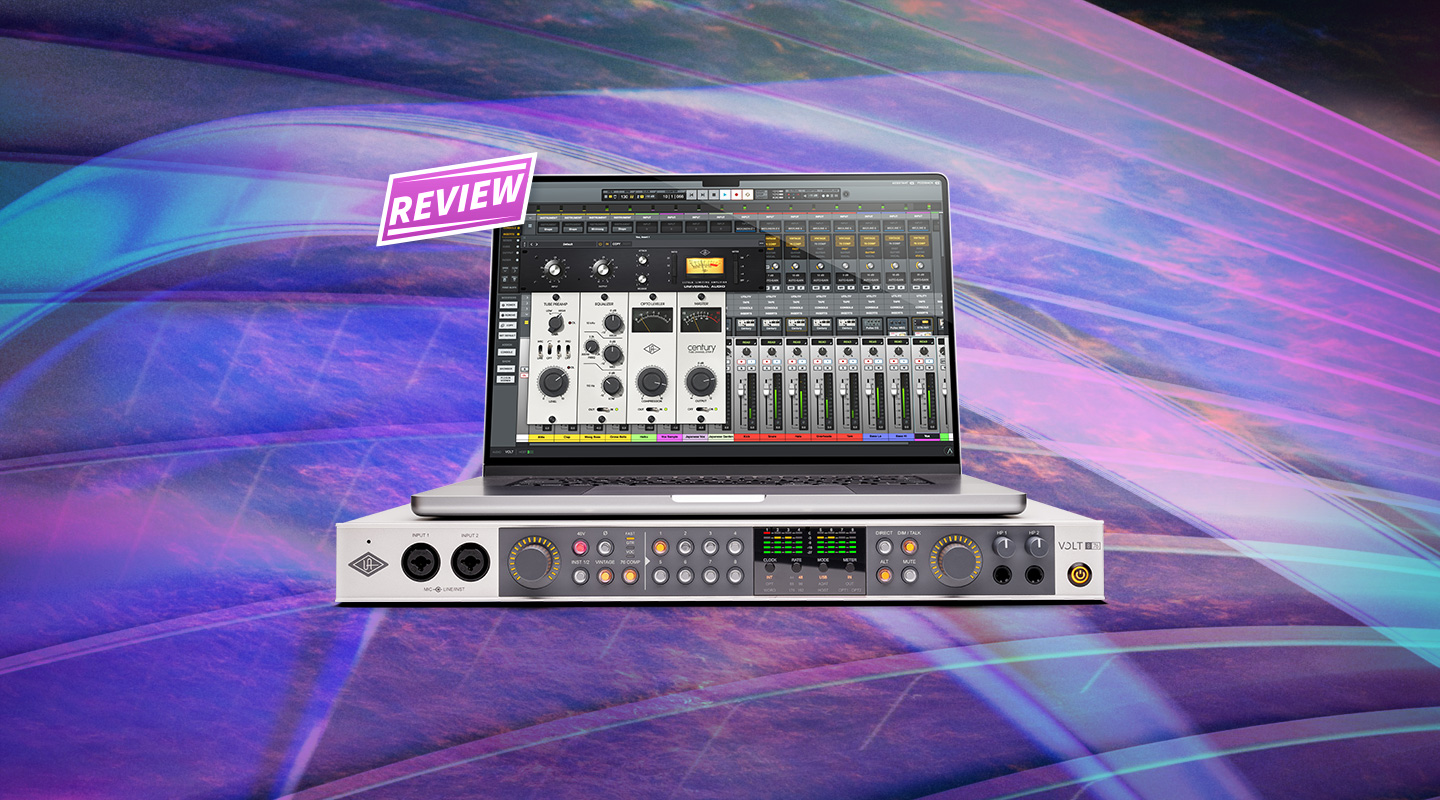
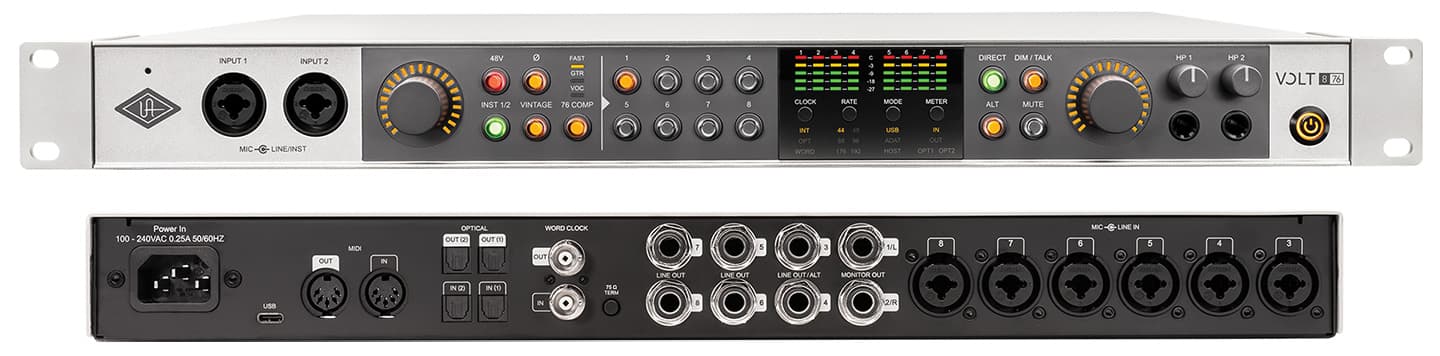
We’ll have a bit of a cruise around the unit initially and have a look at all the ins and outs. Power is via a standard IEC cable. Good. No wall-wart goings on. Eight TRS balanced outputs with Outputs 1 and 2 conditioned to behave as monitor outputs, and Outs 3 and 4 able to be set as alternate monitor outs. Six combo, Rean-manufactured, mic/line inputs live around back, with easy access inputs on the front of the Volt 876. For additional I/O there are two sets of ADAT TOSLink optical, so you could add two of any ol’ ADAT A>D/D>A, obviously with the caveat that if you’re running at higher than 48k sample rates your I/O count will drop accordingly – garden variety 44.1/48k and you’re good for 24 analogue inputs, while 88.2/96k will drop you back to 16 inputs and 176.4/192k back to 12. The Volt 876 can be configured via the software to operate solely as an ADAT I/O if you care for a rack of three. The S/PDIF optical can, of course, be configured as stereo digital. Bear in mind the Volt 876 is a USB2.0 (class compliant, by the way) interface. Not Thunderbolt like UA’s flagship Apollo range. (UA provides a nice metre-long USB-C cable with USB1 adaptor.) The Volt 876 also includes wordclock I/O with selectable 75Ω termination if you’re syncing to or from such, and, somewhat rarer these days, five-pin MIDI I/O.
Just as encouraging is how the Volt 876 is built like a tank – 1.5mm-thick steel, with an aluminium fascia – and comes with a pair of steel rack ears (or rubber feet for a desktop scenario). It feels like it’ll last. Again… somewhat rare these days.
NEED TO KNOW
Universal Audio Volt 876
Audio Interface

VIRTUAL DESKS
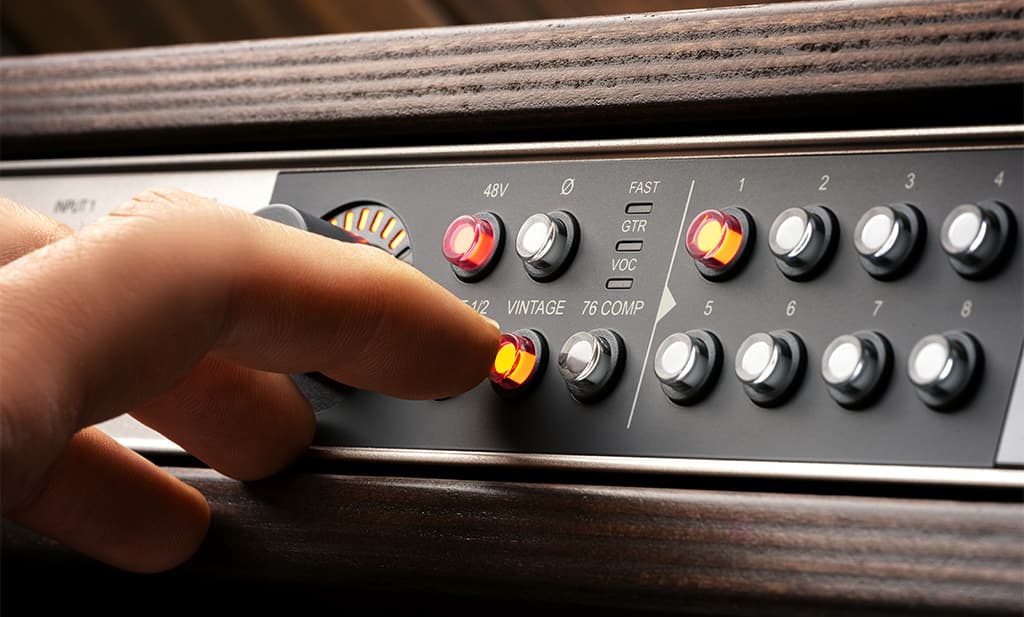
Control of the Volt 876 is both via software, and the front panel. The front is where you’ll find eight backlit pushbuttons for selecting each of the eight analogue inputs of the Volt. Once selected you can adjust gain via a single rotary encoder, hit dedicated buttons, again backlit, to select individually: phase, high-impedance input for the front panel inputs, and 48V phantom power. Yes, individual, per-channel 48V power. Thanks UA. I can think of worse things, but juggling condenser mics between banks of inputs on an interface with ganged phantom power is a pain. Following on from the five-segment LED meters is a control room set of buttons, such as Dim, Mute, Alt (mix), and a ‘Direct’ button for monitoring the selected input directly from the Volt rather than via your DAW (with inherent latency). Talkback is also available via the front panel, with the Dim button doubling-dealing for Talkback. A quick press puts the unit into latched Dim/Talkback, with a long press keeping Dim/Talkback engaged until the button’s released. It’s all very intuitive, with hardware buttons for everything you’d require in a tracking scenario. To the far right are two 6.5mm headphone jacks with dedicated level controls, which aren’t accessible via the UAD Console software – it’s a case of turning them up and governing levels to the headphone mixes via the software’s Cue mix.
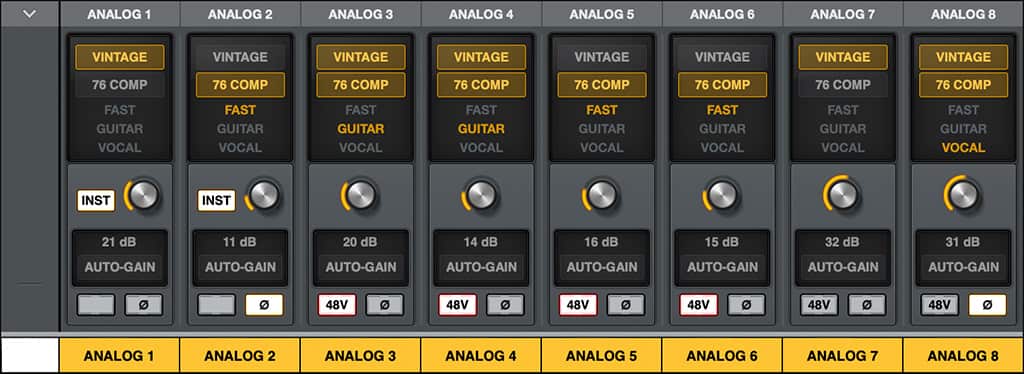
Installing the UAD Console software is governed via Universal Audio’s UA Connect application which gets everything up and running pronto. Either on MacOS or Windows (with associated ASIO driver). From UAD Console you can set up cue mixes, pop the unit into standalone ADAT expander mode, instigate phase inversion, levels, pan, 48V, and two seperate cue mixes which can each be flipped to the main monitoring path. All control room-style functions can also be driven via the UAD Console software. Augmenting this utility is how direct monitoring ‘Sessions’ (monitor/mix/cue setups) can be saved as individual files for recall of session settings. This is extremely useful if direct monitoring is your game, however, many folk are more than happy to run monitoring and cue mixes from within their DAW, and to hell with the latency, which is fair enough. That said, latency isn’t a major issue, and the Volt 876 will happily function glitch-free at a 32-sample buffer in Logic Pro, unlike my older interface. Those 32 samples with the Volt provide a 7.9ms round trip on my particular MacBook (i9 not Apple Silicon). Interestingly my ancient Firewire unit provides slightly lower latency figures, but ironically won’t play ball at a 32-sample buffer. Mileages vary, of course.
HORSES FOR COURSES
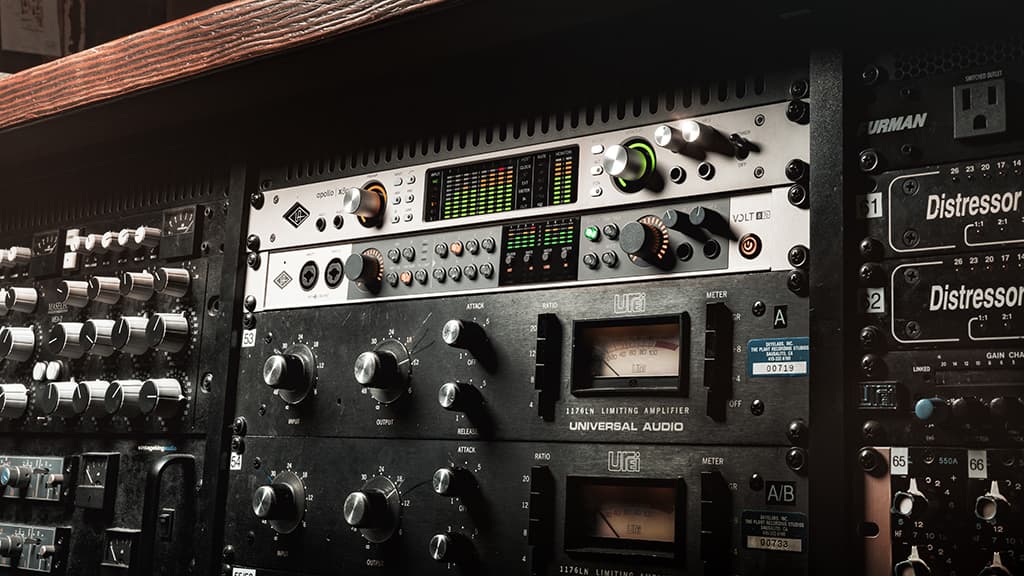
It’s worth pointing out the considerable differences between UA’s Volt 876 and the company’s flagship Apollo devices. Unlike Apollo systems, Volt 876 units won’t allow meshing with Universal Audio’s suite of DSP-assisted plugins. There’s no ‘universal’ DSP for running plugins outside your DAW and its CPU. However, there is some DSP functionality lurking in the Volt 876. Each of the eight analogue inputs can individually switch in a bit of flavour, in the form of a ‘Vintage’ button that instigates a 610 tube mic preamp emulation – an iconic preamp design used on just about everyone famous since Frank Sinatra. Additionally, there’s an emulation of the 1176 Limiting Amplifier, another classic recording stalwart that’s been around since 1967. That’s almost 60 years of classic recordings, most of which would have been shunted via an 1176 at various points. Unfortunately, there’s not a lot of control over the 1176 emulation, with three settings only – VOC, GTR, and FAST – these are selectable via the front panel or via the UAD Console application. Use at your discretion. Or all day. Both functions sound great. Remember: using these DSP functions will print to record, which I doubt you’ll regret.
Volt 876 offers an auto-gain function – a nifty feature introduced in Apollo X Gen2 which has now been brought over to the Volt family. This function is accessible via the UAD Console software only. It’s simple enough to use: just set it to Listen and play as loud as you’d think you’d get and the Volt adjusts the input gain automatically to suit – a handy time-saver, especially when drums are involved.
Specifications between the two platforms are also disparate. While Apollo units offer a top-shelf 129dB (A-weighted) dynamic range on monitor outputs and THD of -118dB (0.00012%), the Volt is in the -119dB range with a THD of -111dB (0.0002%). Mic inputs on the Apollo offer 122dB (A-weighted) dynamic range and THD of -114dB (0.0002%), whereas Volt World is more in the arena of -116dB and a THD of -110dB (0.0003%). So they’re similar, but the Apollo definitely has the upper hand in the monitoring department. Interestingly, the A>D/D>A conversion in the Volt is 32-bit as opposed to the Apollo’s 24-bit.
Comparing specs is interesting but Apollo and Volt 876 are playing in very different fields (Apollo will cost you at least three times as much as a Volt 876), and Volt 876 is unlikely cannibalise any Apollo sales.
FOR YOU (OR ME)
Fidelity-wise I can’t fault the Volt 876. Reproduction is concise, present, defined and articulate. The I/O facility suits my needs admirably, and I really should knock Firewire on the head once and for all. Apple has.
The only thing that concerns me is the USB2.0 connection. It’s scarcely more bandwidth than Firewire, although it’s a supported format. A consideration is the USB shuffle that inevitably goes on with the swathe of USB peripherals tethered to my main MacBook Pro. I’d be keeping it on a dedicated USB/Thunderbolt port, or at least on a Thunderbolt hub. All decisions for you (and me) to ponder if considering the Volt 876.






RESPONSES