



Review: PreSonus Quantum HD 2
Is the HD 2 a quantum leap forward, or ‘just’ another desktop interface?

By Graeme Hague
19 July 2024
PreSonus recently released its Quantum series of audio interfaces including four models, the ES 2, ES 4, HD 2 (which is sitting in front of me) and HD 8. The ES types are compact desktop USB-C units with connections of 2×2 and 4×4, respectively. They’re aimed very much at the enthusiast’s home studio setup, although the new MAX-HD preamps and Fender-designed instrument inputs put them a step above your everyday budget interface.
The two HD units are – okay, let’s get this out the way – a quantum leap from the ES models. The HD 2 and HD 8 offer comprehensive digital connectivity, 32-bit conversion, re-amp outputs… we’ll get into the details soon. Suffice to say the two variants in the Quantum range are at opposing ends of the market, so don’t be tricked if you see the ES models first.
DESKTOP REAL ESTATE
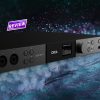
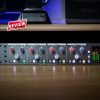
The HD 2 is also a USB-C desktop unit with a compact design that belies its capability, not the least being able to record at 192kHz. My trusty school ruler says it’s 210mm wide by 170mm deep and 1RU high. With the robust metal construction, it’s no lightweight and while you need to anchor the unit whenever you’re plugging things in, it definitely won’t slip and slide when you’re operating it.
Talking of which, PreSonus has opted for the ‘One Knob to Rule Them All’ approach with a single rotary encoder for adjusting any selected parameter such as Main Out, headphones level, input gains, plus with a double or long-press you access a deeper level of global settings. The button colours change or blink as various modes are selected. It all works well once you get your mindset into that kind of workflow. The encoder feels smooth and accurate, and the high-resolution LED screen is very clear.
That extensive connectivity means that the HD 2 really needs a dedicated spot in your workspace. It’s not the kind of audio interface you’d want to shove out the way to make room for a pizza. Especially with the rear XLR inputs, I’d be planning a permanent cabling configuration and once everything is plugged in, that’s how it’ll stay. The exception would be the front panel instrument inputs and re-amp outputs.
Some of the control buttons don’t work quite as you’d think, and that’s a misconception born from the HD 2 being small and apparently simple when it’s not. For example, the Main button swaps between the main or alternative speaker outputs. This does nothing until you activate the second outputs in the global settings. Likewise, the 48V phantom power switch does nothing unless you select one of the rear XLR connectors as active, the default being those front panel instrument ports.
These aren’t criticisms; I’m only pointing out that those of us who eschew instruction manuals are going to get stumped by some basic operations.
CONTROL THE UNIVERSE
PreSonus has a single driver software for all of its audio interface products. It’s called Universal Control and during the installation you can select which devices you have. The Quantum units rate as a category so there is no confusion. Other products are also kind of obvious for not being what you’ve just bought, and you can deselect installing the drivers for those, although it probably won’t hurt if you do.
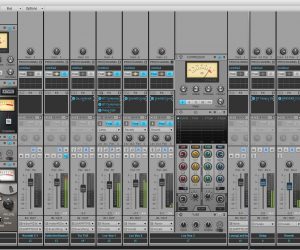
Universal Control gives you a complete GUI to wrangle the HD 2 into exactly what you want and arguably it should be your first choice for setting parameters rather than the rotary controller. Again, although this is nothing new, for a majority of users who have spent decades reaching for tactile knobs and switches, it’s a change away from old habits. You don’t need to be tethered to a computer, either – the Universal Control App runs on iOS and Android devices for easy interface control and metering on your smartphone or tablet. Without doubt, UC does make things much quicker.
NEED TO KNOW
PreSonus Quantum HD 2
USB-C Audio Interface

COUNTING CONNECTIONS
The HD 2 has 20 inputs and 24 outputs. The two optical output ports give 16 channels at 44.1-48kHz samples (only eight channels at higher sample rates). There are two pairs of speakers outs, making it to 20 channels, stereo SPDIF outputs, and the last two are the re-amp outs.
On the input front you have the two analogue MAX-HD preamp inputs (accepting either XLR or instruments), 16 ADAT inputs, and two SPDIF inputs.
It’s a bucketload of ins and outs for an interface the size of a small biscuit tin. SPDIF and 5-pin MIDI in and out come via a break-out D-Connector – it’s been a while since I’ve seen that on an audio interface.
Those new MAX-HD preamps have been redesigned to provide ‘digitally controlled analogue’ that delivers a whopping 75dB of gain that is very clean and noiseless and will have pretty much every microphone in your cupboard covered. There is also an Auto Gain mode which ‘listens’ to your input signal, crunches the numbers, and recommends an appropriate gain level setting. That’s sacrilege to some. I found it useful as a starting point.
Otherwise, you can switch to the front panel instrument inputs that have been developed in conjunction with the boffins at Fender (which now owns PreSonus) and are ‘engineered for guitarists’. Below these are the 6.5mm re-amp outputs for running your recorded tracks into real amps and outboard gear – something that’s become much in demand lately.
The only slight disappointment is the single headphone jack. So often in smaller studios where you’re working in the same room as the artist, two headphones on the interface itself is preferable to configuring a dedicated headphone amplifier and the associated cabling just to get a second pair of cans working.
STUDIO ONE+ A REAL PLUS
Bear with me here. In a move that had a few Studio One users grumbling, PreSonus introduced with Studio One 6 a new software subscription. Personally, I reckon it’s a huge win-win offer, and it’s called ‘Studio One Hybrid’. Studio One+ is a subscription package that includes absolutely everything PreSonus has when it comes to DAW plug-ins, instruments… the whole shebang (whatever that is). Instead, you can purchase a Studio One Pro license that is permanent and still includes a lot of those added extras. The grumpiness was caused by PreSonus removing some of the S1+ exclusive content out of its online store where you could previously purchase it individually. Now, that content is only available with S1+. Thus the gnashing of forum teeth – and some people just have this thing about paying a subscription rather than owning software outright.
The HD 2 comes with the Studio One Hybrid offer. It’s a free subscription for one year to Studio One+ and if you decide at the end of the 12 months that it’s not for you, PreSonus gives you a Studio One Pro license for free. Yep, free. In fact, you don’t need to buy any PreSonus hardware to try this. Subscribe to Studio One+ anytime, and that’s the deal if you change your mind. How can you go wrong?
SURROUND YOURSELF
With the 20 outputs, the HD 2 can do so much – drive hardware synths and outboard effects units, provide extra monitoring, or you can create a studio with the best of both worlds including a digital plugin bonanza and vintage analogue voices… the possibilities are endless. This is where I think the HD 2 is placed in the audio interface scheme of things – as a permanent hub in a more complex studio that will largely remain a static setup. It has everything you need, both in software and hardware connectivity with all the audio coming from an innocuous black box tucked away on a shelf close to hand. When it’s needed, the two ADAT inputs can quickly transform a modest studio into some multi-track mayhem.
It’s worth pointing out that the HD 2 could also be employed in studios focusing on surround and Dolby Atmos mixing – as long as you have the necessary D/A converters to combine with the ADAT outputs and a way of calibrating the speakers. However, investing in those converters if you don’t already have them could be costly. You might as well step up to the Quantum HD 8 which is designed to do this (and more, of course).
The HD 2 has that excellent audio quality with the MAX-HD preamps, converters and high sampling rates. It’s also very versatile and between the Universal Control tweaks and the various hardware connections available, it’s an interface capable of a surprising number of configurations when you dig deep into the settings. It will probably take you quite some time to discover its full potential.
‘One Knob to Rule Them All’ indeed.






RESPONSES