







Review: Hotone Verbera
Hotone’s Verbera delivers an infinite world of captured spaces to your pedalboard. The promise? You can also clone the places and gear around you and take them home.

17 July 2025
AT has been following the Hotone (‘Hot-tone’) story for the last few years, via multiple iterations of the Ampero platform. A Chinese company with in-house innovation and DSP development, its latest offering is a hybrid convolution/algorithmic reverb pedal, straightforwardly dubbed Verbera.
Still relatively uncommon in the pedal world – Poly Effects Verbs and Tasty Chips Electronics Integral the obvious alternatives – many AT readers will have enjoyed the power and variety of Impulse Response-driven convolution plugins for decades. I remember the first time I worked in a studio with Audio Ease Altiverb, and a fully stocked library of IRs…it was revelatory. Verbera combines a convolution engine with an extra algorithmic reverb, called XR. I’d describe Verbera as a hybrid reverb pedal rather than a dual reverb, with no options to change block order, serial/parallel behaviour, or to assign each as a discrete mono reverb – available via each side of the stereo I/O. Here, the second cavernous reverb, with up to 30 seconds of decay, offers an alternative ambient texture and significantly expanded ability to shape and craft your IR-based presets, or indeed to rethink how IRs can be employed.
TAKING CONTROL
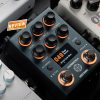
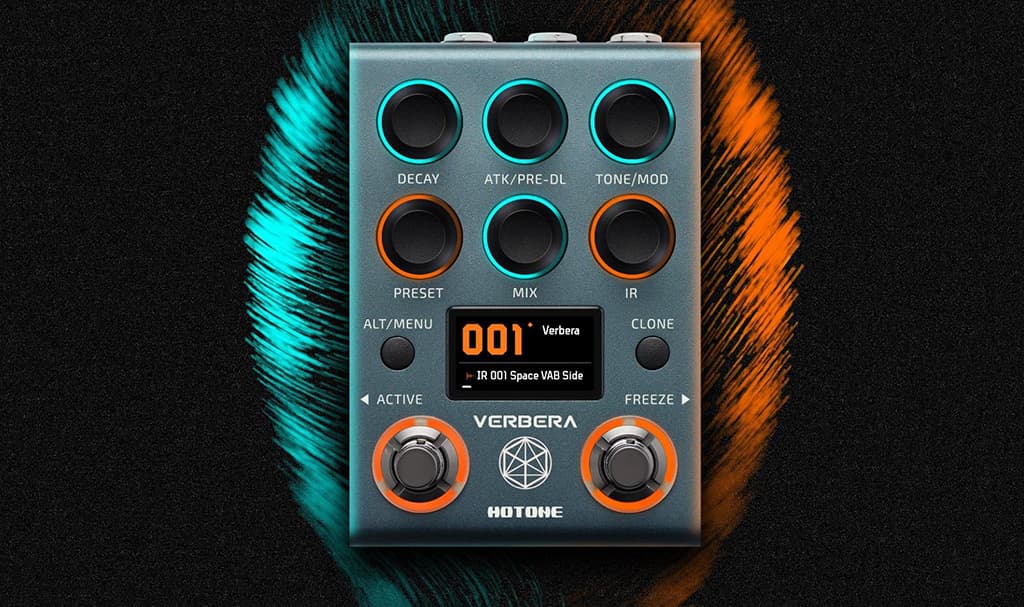
Compact guitar pedals are rarely difficult to navigate but there is a little bit to get your head around here. The two footswitches can be configured to operate in one of two modes, toggled by a quick press of both together. Preset mode allows for up/down navigation of the 200 available preset slots, while Control mode provides access to a global bypass switch (left) and a Freeze on/off control (right) for the XR trail.
All the pots are extremely solid-feeling, continuous controllers, with the stepped Preset and IR controls incorporating push buttons. Preset does exactly what you’d expect, scrolling through your sounds. A push of the button opens the Save To… page. Take heed, there’s no preview mode, though, so once you start dialling through presets you’ll hear it. MIDI support for direct preset selection via Program change has not been supported at this stage, though attempts to do so did achieve grouped parameter changes, without the accompanying Preset and IR switching.
The IR control scrolls through the list of up to 1024 loaded impulses for selection within the current preset. Verbera supports Hotone’s HRIR impulse format and can also import wav files up to 32-bit/192kHz. Mono impulses may be up to 20 seconds in length while stereo file support is halved to 10 seconds. The IR button switches between six IR sorting modes: Name, Length, Smooth, Diffusion. Brightness and Attack. An additional Favourites checkbox, present within the Neon Collector management application (Mac and Windows), allows for IRs to be bumped to the top of the list when sorted by name. As with presets, you can’t jump directly between IRs for comparison, so thoughtful personal naming and renaming protocols will benefit some users.
The remaining four pots control the eight available reverb parameters in two banks, accessible with the use of the Alt button and indicated via the coloured LED rings surrounding each pot. The rings also indicate the current parameter position of each control along with a full-screen momentary on-screen parameter display. Bank 1 (Orange): IR Mix, IR Decay, IR Attack and Global Tone. It’s worth noting both IR Decay and IR Attack duck the effect during editing to avoid processing artefacts as the convolution settings are changed. It does make me wonder what glitchy delights we’re missing! Bank 2 (Turquoise) XR Mix, XR Decay, Global Pre-delay and Global Mod depth. Standard function displays controls only in their Normal or Alt bank but I noticed that external MIDI control will switch pots individually into their orange or blue mode. There is some room for evolution here as I found myself flying blind during preset navigation; never entirely sure whether I was hearing IR, XR or a combination of the two. I wonder if the large coloured preset numbers could blend between orange and turquoise, a hint towards the current settings.
NEED TO KNOW
Hotone Verbera
Dual Convolution/Algorithmic Reverb
DEEP DIVING
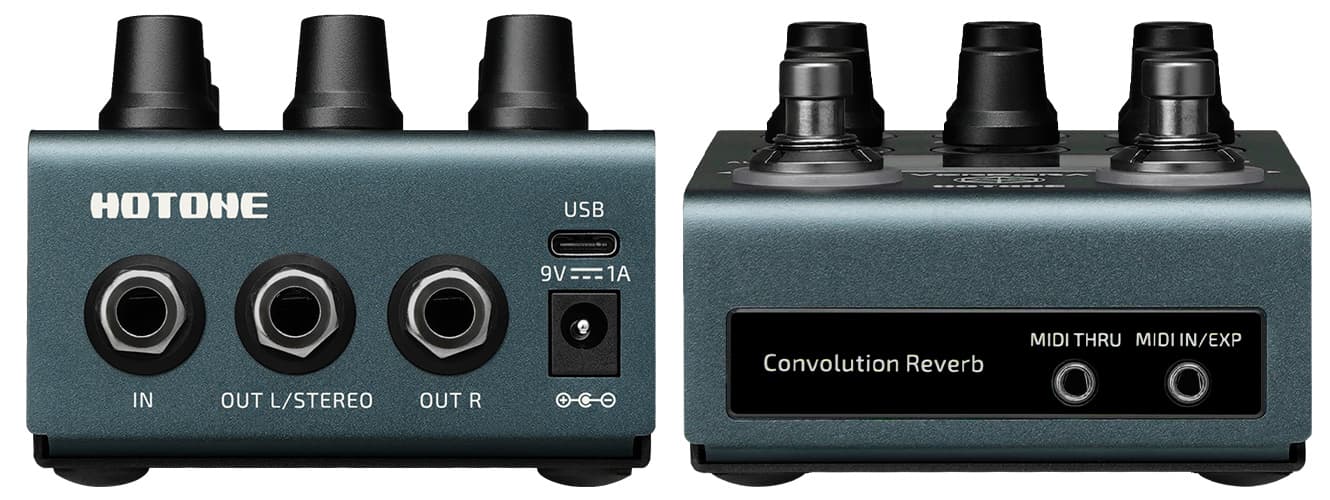
Additional menus can be accessed a couple of ways. A long press of the Alt/Menu button opens the settings menu allowing configuration of the Input mode (Auto/Mono/Stereo), Ctrl mode for front panel jack (MIDI/Expression pedal – as mentioned above, this in no way impacts USB MIDI control), Trails on bypass (On/Off), and separate MIDI channel configuration for both the USB and TRS inputs. When an expression pedal is connected, a quick press of the Alt/Menu and Clone switches together opens the per-preset Expression parameter assignments. Anyone who’s used an expression pedal with a Line6 device will be familiar with the configuration of Heel down and Toe down settings to interpolate between two different variations of a preset.
MIDI control changes have been assigned for all of the pedal’s standard switching options and controls but I think there’ve been at least a couple of oversights. I think it would make sense to assign a CC to mirror the expression pedal control configurations while, as already mentioned, I’m certain direct preset selection will be on many users’ wishlists.
ACTING ON IMPULSE
The factory library of 120 IRs Hotone pre-loaded into Verbera are as inspiring as they are diverse, but it’s more than that. Notwithstanding the usual-though-valuable collection of rooms, halls, caves, churches, auditoria, springs, and other rare reverb units, it’s the addition of break beats, rhythmic pulses, filtery sweeps, and all manner of noises that suggest different ways of thinking about convolution, and in turn of exploiting Verbera. Think vocoder instead of reverb and you’ll have some idea of where I’m heading. With IR preceding XR in a serial effects chain the potential for 100% wet convolution experiments feeding a delayed and modulated reverb go way beyond your next drippy guitar tone (yes, it does that too).
I had no problem importing a selection of IRs from my studio library via the Neon application and backup of impulses was just as painless. Though an export function is included, Verbera popped up as a USB drive so it was just as simple to drag and drop. Renaming and reordering presets is just as straightforward. For my own peace of mind, I made some test recordings of various sources processed via plugin and Verbera and was more than satisfied with the results.
Being able to edit decay, pre-delay and tone (in this case a tilt control) is common on all manner of reverb pedals but the inclusion of an attack control greatly expands the possibilities for sound design. If I’ve one small quibble it’s the restriction of modulation controls to depth alone. I couldn’t help thinking what might be possible if Hotone enable USB access to a user-tweakable XR and global shaping engine, à la TC Electronic’s TonePrint. Modulation rate and shape would be obvious additions, with more advanced EQ and XR variations a step towards a more fully stacked dual reverb.
the results were impressive and in many cases I preferred the Verbera clones to my software generated controls
CREATING SPACE
If you’re looking for a new high-resolution reverb pedal with diverse sonic potential, paired with straight-forward, hands-on control then you’re likely already comparing Verbera to the competition. But wait… there’s a kicker! It’s not just a convolution reverb, it’s also an IR capture device. There’s no need to choose between it and the competition, you can clone them. I took them at their word and immediately cloned a few of my favourite settings from a Strymon BlueSky.
The process couldn’t be simpler. Holding down the Clone button begins the process and you just have to follow the on-screen instructions and wait. Some recommended settings are provided for optimal cloning and it was suggested that I closely follow the instructions about connecting and disconnecting cables at the appropriate times. Verbera plays a swept sine wave through the target device and records the result to produce an IR. Once you start, you’ll likely keep going. The spring from a RE-501 Chorus Echo was next before I remembered some of my favourite guitar reverbs are delays. A fluttery delay from the RE-501 followed and an even shorter feedback-generated space from an Earthquaker Devices Sea Machine (a chorus pedal by design) was trapped. It didn’t end there, and across the week I was also able to clone some live spaces (through combination with my recording rig and a Radial X-Amp, and on another occasion with a microphone, a Radial Voco-Loco and an EV powered wedge).
Noise is either your enemy or an unwitting accomplice. If you’re looking for accuracy, a low-noise signal path is critical, but you never know where your mistakes may lead and a badly executed clone just might generate a granular drone to die for. I only had one true failure (SiB Electronics Mr Echo) but as the control IR, I captured via software, also featured the same unusual phased modulation, I don’t think it had anything to do with the Verbera.
I AM IR
To me, the results were impressive and in many cases I preferred the Verbera clones to my software generated controls. In both cases however, the tone was the hardest thing to capture accurately. In many samples, there’s a slight lack of snap or sparkle to the clone. While the Verbera Tone control can help here, it’s worth remembering that this will cut bass as it boosts tops. In the case of the BlueSky, the captured test signals were a little light below 60Hz so it’s not always going to be perfect. If you’re a guitarist, this is unlikely to be an issue, if you’re looking to process a wider range of sources you may be a little more sensitive.
File naming on any pedal tends to be tedious but if you stick to simple codes, and keep notes, you can easily rename them via Neon later. While you can export your cloned files, you’ll not be able to use them elsewhere as Verbera captures IRs using its proprietary HRIR file format. While I understand and respect their desire to protect their Factory libraries, I think it would be a real plus if some way could be found to allow the conversion of user IRs to wav.




RESPONSES