


Column: Anthony Garvin
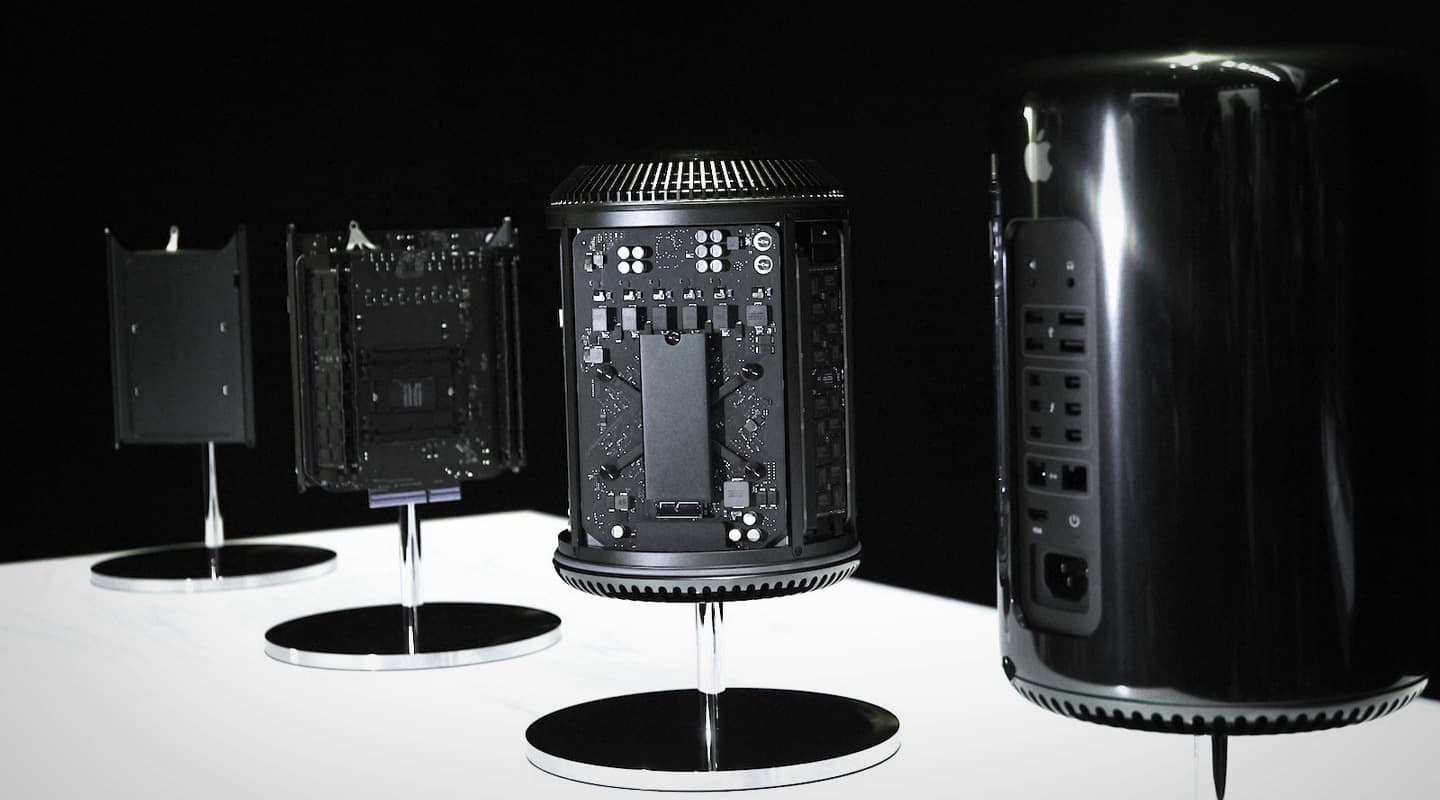
I’ve had more of a run with the ol’ Trashcan since last issue, and have found it less intrusive than a well-placed waste paper basket. But before I get into the on-going review, and other useful direct comparisons, I’ve been pondering a question… Could GPU be CPU?
If you have kept an eye on the new Mac Pro then you’ve probably noticed the graphics processing is quite impressive — a minimum spec machine consists of two AMD FirePro300 graphics processors, each with 2GB RAM. This extra power certainly helps Final Cut Pro users, with the demos I’ve seen resulting in over a dozen 4k video streams, many with real-time processing, playing back without a hitch. But, as audio-centric users we don’t really need excessive graphics horsepower… Or do we?
Going back to 2009 a company called Liquidsonics launched Reverberate, a reverb plug-in that could harness (on PC only) the power of NVidia’s Graphic Processing Units (GPUs). For a moment there, it seemed like a new world of common and affordable DSP had opened up to us. We all had reasonable graphics cards in our DAWs that were, for the most part, under-utilised.
Fast forward to 2014 and not much has happened in this realm, particularly for Mac users (the only software I recall that can harness the GPU on a Mac are some reverbs in Acustica’s Nebula — though I haven’t used them myself). But when I witnessed just how powerful the GPUs in the new Mac Pro are, it got me thinking — is it foreseeable that our plug-ins might be ‘GPU-compatible’ someday soon?
Well, after some searching and posing the question to developers, I’ve discovered that it’s a bit harder than it looks. GPUs have indeed become very powerful processors, but they’re designed to process chunks of data in one go (like to display a 3D image on a screen), rather than in a stream (like to process audio samples one after the other). As a result it seems that it is either very difficult, or impractical, to code audio plug-ins to make use of a GPU.
But perhaps now that we have all this extra power on the Mac Pro GPUs, someone may get creative and find a way to harness this for audio purposes (drop us a line if you know or hear anything).
MIXING ON THE MAC PRO
The Mac Pro I’ve been running is a middle of the line model, an 8-core 3GHz processor with 32GB RAM (though it is priced at over A$8000). I previously mentioned how fast the machine appeared to be, and that statement still holds true. Whilst not the most demanding project, I was easily able to complete a mixdown of a 30 (mostly stereo) track song in Logic, using all the plug-ins I needed/wanted — all the while at a buffer of 64 samples. In this instance, my project was at 44.1k, so I decided to push the machine a bit more by changing Channel EQs to Linear Phase EQs, activating FAT (up-sampling) on Vintagewarmers, etc. And it still worked quite fine at a buffer of 64 samples (see CPU meter screenshot).
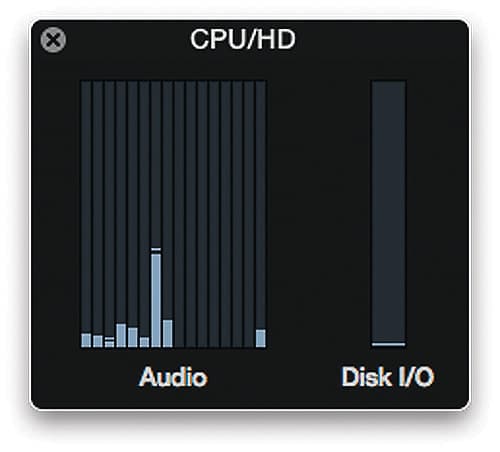
As a result, my feeling is that for the everyday DAW user, the idea of a low buffer setting for recording, then high buffer setting for mixing is completely unnecessary at this level.
So, having passed my first real-life test easily, I decided to throw a bit more at the machine by way of a more ‘academic’ test. Using Waves CLA Vocals, I found that at 96k, with a 64-sample buffer, I could reliably run 54 instances of the plug-in — I call it the ‘Choir of Soloists’ test. 54 plug-ins instances might not sound like much, but I deliberately chose CLA vocals as according to Waves, it’s currently at the upper end of CPU demands. By way of a comparison, my early 2013 13-inch Macbook Pro Retina (3GHz i7, 8GB RAM), with the same plug-in, in the same project, at the same settings can run a whopping seven instances! That’s almost eight times the processing power for those keeping score.
LOW-NOISE OR NO-NOISE?
Having now used the machine for a good length of time, it appears that Apple’s engineering efforts to reduce the cooling down to just one fan (from dozens in the previous generation) have not been in vain. For most of my use, I’ve had the machine set up right beside me on the bench next to my keyboard and mouse without it causing too much noise pollution. If I were setting up the Mac Pro permanently I’d probably move it into a rack or on the floor, as there is a slightly audible whir — though you would have to be in an incredibly quiet room (like a recording studio) to hear it.
Having said that, after using the Mac Pro for a couple of hours I did notice that it became noticeably ‘warm’ (approaching hot). This didn’t seem to have any impact on the performance, though I do wonder, in warmer areas without air conditioning, will this be a problem?
By the next issue of Apple Notes I’m hoping to have tried the new Mac Pro with a ProTools HDX/ Thunderbolt chassis system. Watch this space for more tests.




RESPONSES