• Latest Issues
  • Reviews
  • Tutorials
    • Microphones
    • On The Bench
    • Thinking Outside the Box
    • View From The Bench
  • Features
    • Acoustics
    • Broadcast
    • DIY
    • Field Recording
    • Game Sound
    • Interview
    • Live Sound
    • Mastering
    • Mix Masters
    • Music Business
    • Name Behind the Name
    • Post Production
    • Recording
    • Studio Focus
    • Technical
  • Regulars
    • Fresh Produce
    • Top 5
    • Top 5 Live
    • Top 5 Template Tools
  • Videos
  • Free Stuff
  • By Gear
    • Audio Accesories
    • Audio Mixers
    • Headphones + IEM
    • Interfaces
    • Location Sound
    • Microphones
    • MIDI Controllers
    • Mobile/iOS
    • PA Systems
    • Software + Plug-ins
    • Studio Monitoring
    • Studio Outboard
    • Synthesizers + Keyboards
  • By Interest
    • Acoustics
    • Broadcast
    • DIY
    • Field Recording
    • Game Sound
    • Live Sound
    • Mastering
    • Music Business
    • Name Behind the Name
    • Post Production
    • Recording
    • Technical
    • Thinking Outside the Box
  • By Brand
  • Subscribe
  • Contact Us
  • Advertise
Previous
Issues 106
0 SHARE
Read Next: Review: Blackstar Beam Solo
  • Home
  • /
  • Regulars
  • /
  • Top 5
  • /
  • Top 5: Primate

Top 5: Primate

DnB & electronic music whiz kid, Primate, reveals how he achieves the grit, impact and mayhem his productions are well known for.

By AudioTechnology

30 September 2025

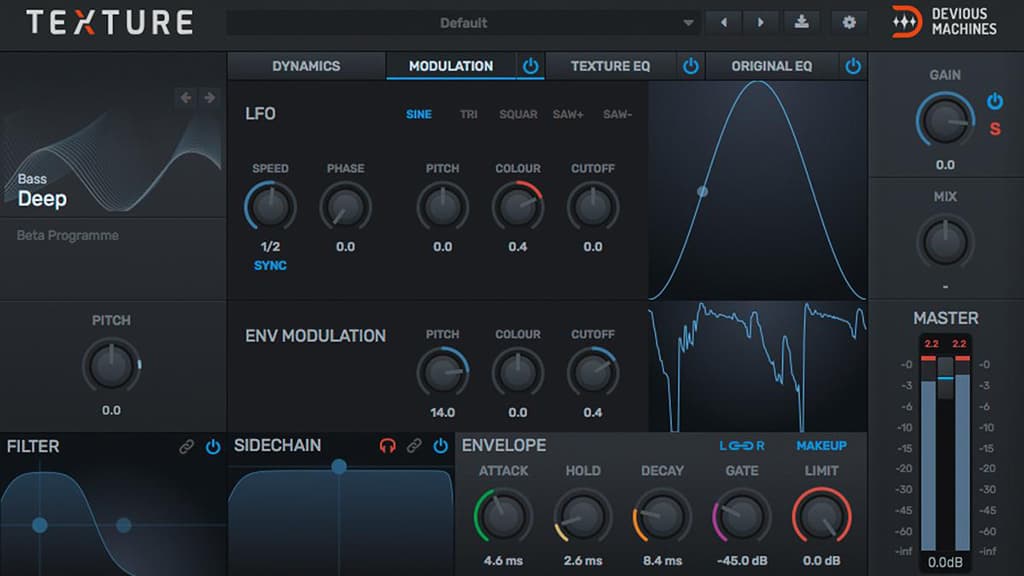
DEVIOUS MACHINES TEXTURE

One of my favourite little ear candy toys. Texture is perfect for adding movement and character to sounds that feel too static. It creates a secondary ‘texture’ layer that follows the original audio, letting you blend in noise, grit, or tonal elements in perfect sync and with great control. It’s great for snares, percussion, or atmospheres that need extra bite or energy. I’m also a very big fan of using it on basses or drum loops, giving them that crunchy top end. You can choose between so many different experimental sounds such as water, cymbals, crackles and so on. On top of that you have so much control over the decay, EQ, gate and so much more. Even adding small amounts go a long way when gluing sounds together, definitely a must-have polishing tool!


S.K.Y. STUDIOS S.K.Y. KEYS

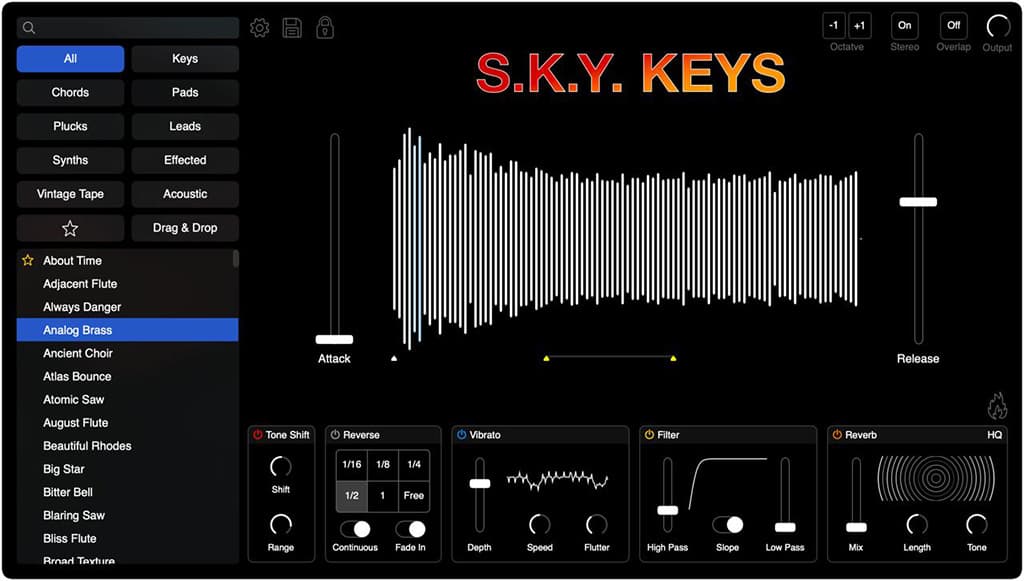
Sky Keys is my go-to for quick lush soundscapes. Ideal for both chords and melodies, this VST works in every stage of a track. The presets are big and cinematic and sound very professional without having to tweak them much. Inside you’ll find both realistic and more electronic sounding instruments, all with that same clean industry sound to it. I’ll also resample the chords and chop them up to create completely new textures. On top of that there’s a couple of neat little built-in effects like reverb, saturation, and even a loop and reverse mode which lets you create unique stutters and glitchy sounds. It’s a plug-in that rewards experimentation and evolving movement.

WAVES AUDIO CLA Vocals

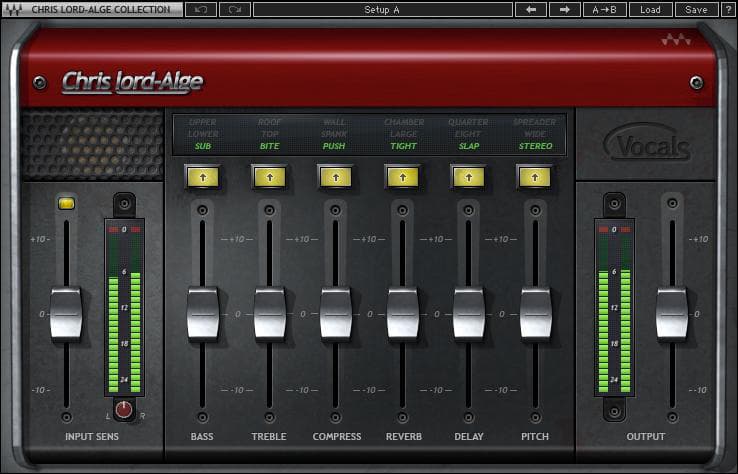
This tool is the first thing I add to every vocal. CLA Vocals is a full vocal chain in one plugin – EQ, compression, reverb, delay, pitch effects, and stereo widening all in a simple layout. It’s perfect for making vocals cut through fast, without building complex chains. The built-in compression and EQ control dynamics instantly, while the reverb and delay sections add width and depth. If you’re not really sure how to approach a specific vocal mix, or you just rather work on the instrumental first, then this is the perfect tool! It’s all about quick results and vibe rather than endless tweaking. Sometimes a dry recording with a single CLA instance can be all it needs to give it that professional sound, especially if you’re looking to have it pop out in a busy mix.

VENGEANCE SOUND VPS AVENGER

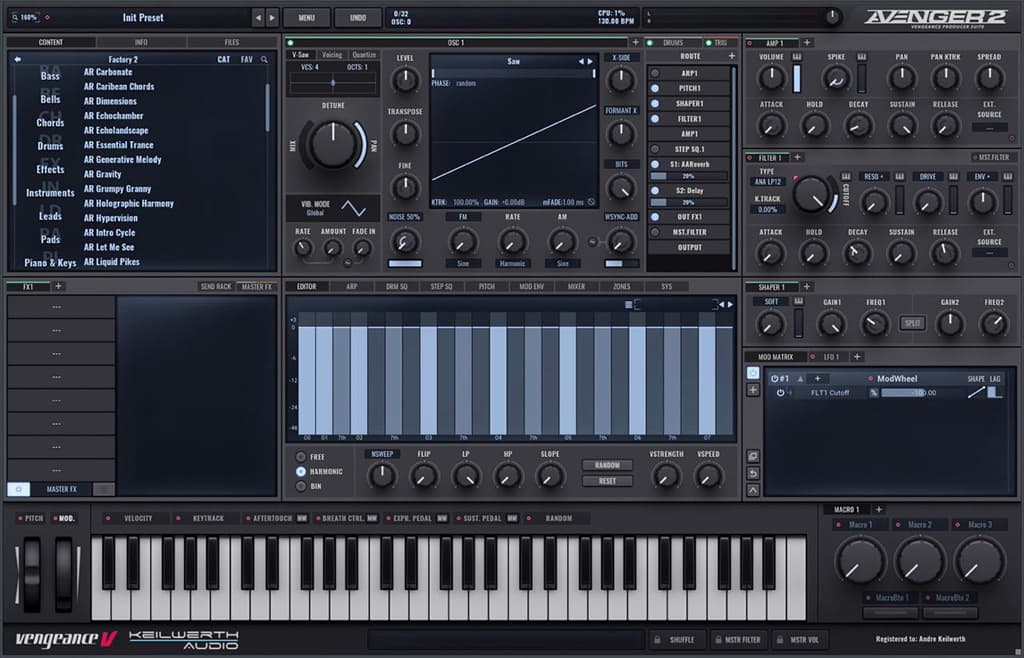
Just recently discovered this monster of a generator. VPS Avenger is a powerhouse synth with subtractive, wavetable, FM, and granular engines all in one. It’s loaded with sounds and loops that are so easy to drag and drop on any track to add extra layering. From grungy rock guitar loops to old-school dubstep growls, it has it all! It is a pretty old synth – think of it as Nexus from back in the day – but a lot more dance music focused. I use it for big leads, punchy basslines, or evolving pads with that built-in distortion and unison for extra power. The interface can be a little intimidating at first, but if you’ve got a basic understanding of synths like Serum, you’ll be able to find your way in no time! (Trust me: the presets will be good to go on their own!)

SPL AUDIO TRANSIENT DESIGNER

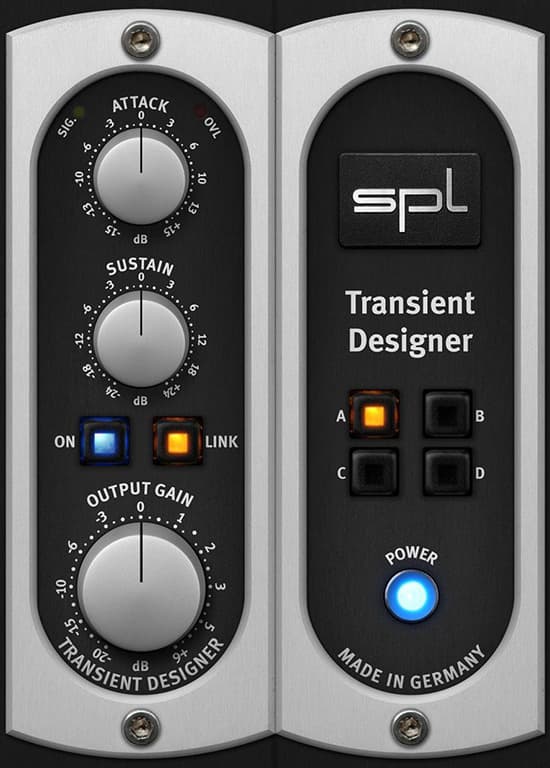
I use Transient Designer a bit more than I’d like to admit! It’s so easy to use on any sound to make it more tight and upfront. Reduce sustain, add some attack and wham! Suddenly your sound is pushing through that much more. There’s a lot of different ‘transient designers’ out there, but I have to admit that this one offers the greatest control and it’s easy to use with not too many gimmicks. Taking down the sustain all the way will legit almost completely remove the sound – a very good way to use it is on your drum bus. Before feeding the SPL Transient Designer, add an upward dynamic EQ/multiband compressor on the transient bands, up the attack and take down the sustain. You’ll be surprised how hard those drums will start hitting, and it really glues the whole drum group together. It’s simple, fast, and works on virtually anything.

RESPONSES

Leave a Reply Cancel reply

Your email address will not be published. Required fields are marked *

More for you

Filter by
Post Page
News Feature MIDI Controllers Novation PA Systems EAW DAW Fender IK Multimedia Dynamics Processors Firmware Update Software + Plug-ins Genelec Interfaces Solid State Logic (SSL)
Sort by

WORLD’S LARGEST NATURAL SOUND LIBRARY NOW FREE TO USE

10

Simian To Think About

10

More Launchkey White

0

EAW Newport Additions

0

Fender DAW Update

0

ARC ON-EAR Version 1.5

0

Next-Gen FET Compressor

0

Tone Master Pro Update

0

Genelec Gets Smarter

0

UAD Pitch Correction

0

Genelec Aural App Update

0

Powerful, Portable, Pure SSL

0

preview
preview

Free! Get AudioTechnology magazine sent straight to your inbox every month

This field is for validation purposes and should be left unchanged.

preview
  • Latest Issues
  • Reviews
  • Tutorials
  • Features
  • Regulars
  • Videos
  • Free Stuff
  • By Gear
  • By Interest
  • By Brand
© 2026 AudioTechnology magazine.